
SDK API Overview
This page provides a high-level overview of the main concepts and components of the Rokoko Device SDK. It serves as a starting point for understanding how to interact with the SDK and what to expect from its API.
Core concepts
Section titled “Core concepts”The SDK is organized around an SDK driver that manages communication with Rokoko devices and exposes them to applications in a high-level manner.
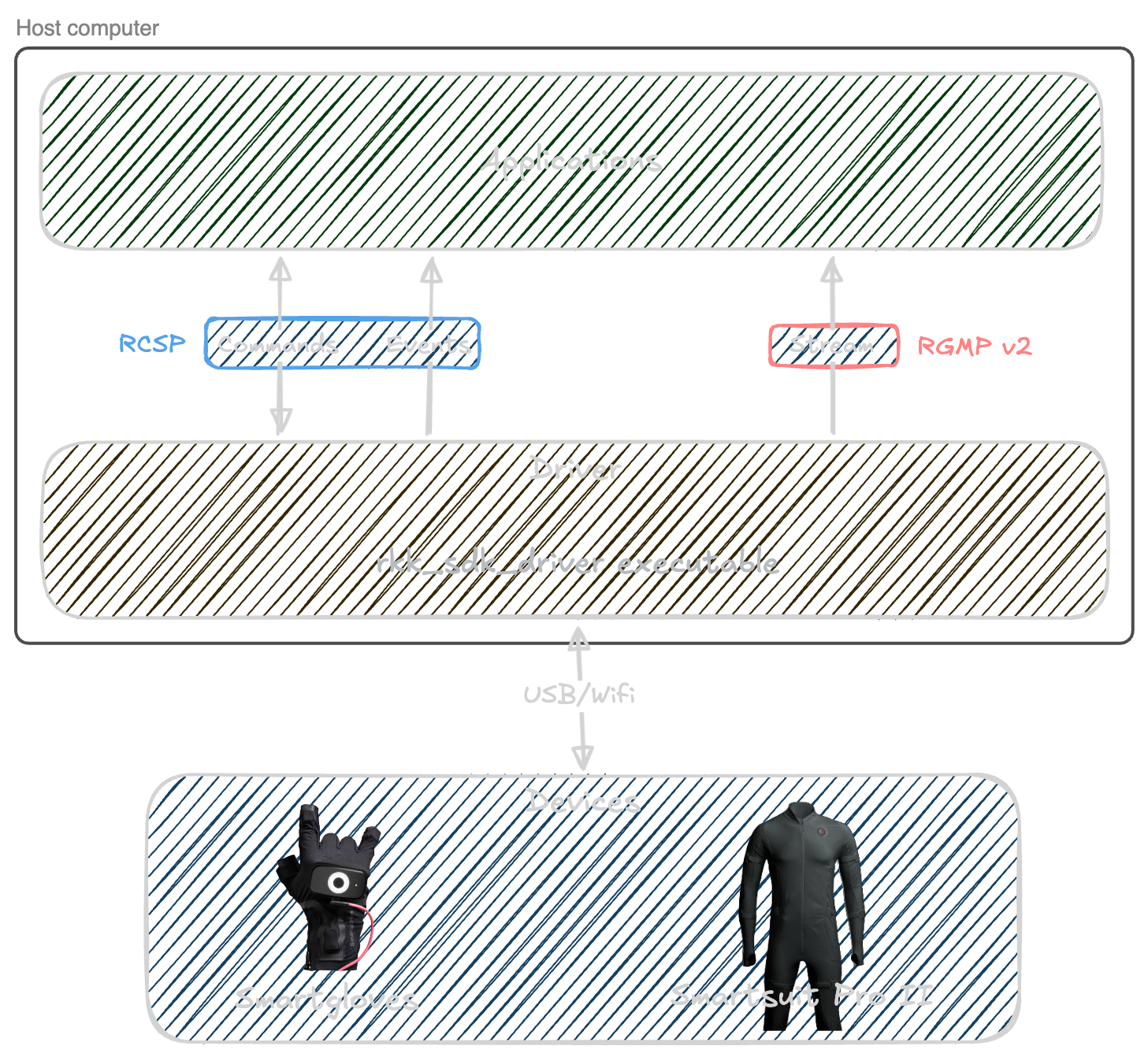
A typical lifecycle of an application using the SDK might look like this:
- Connect one or more Rokoko devices to your computer, via either USB or Wi-Fi.
- Start the SDK driver, which will discover connected devices and make them available to your application.
- From your application, connect to the SDK driver via TCP/IP
- Through the driver connection, issue commands, subscribe to events, and start/stop data streaming as needed.
- Handle incoming data and events in your application, and use them to drive your desired functionality (e.g. recording motion data, controlling devices, etc.)
- When finished, gracefully shut down the SDK driver and close connections.
Protocols
Section titled “Protocols”Once the SDK driver is running, your application will interact with it using two main protocols:
- RCSP (Rokoko Command Server Protocol): A TCP-based protocol for sending commands to the driver and receiving responses. This is the primary way to control the driver and manage devices. See the RCSP Specification for details on available commands and responses.
- RGMP (Rokoko General Motion Protocol): A binary protocol used for streaming motion data from devices to your application. This protocol is designed for high-performance, low-latency data transfer. See the RGMP v2 Specification for details on message formats and streaming options.